
Settings and appearance
Settings let you tune the calculator to your preferred shot routine and screen size.
Wind settings
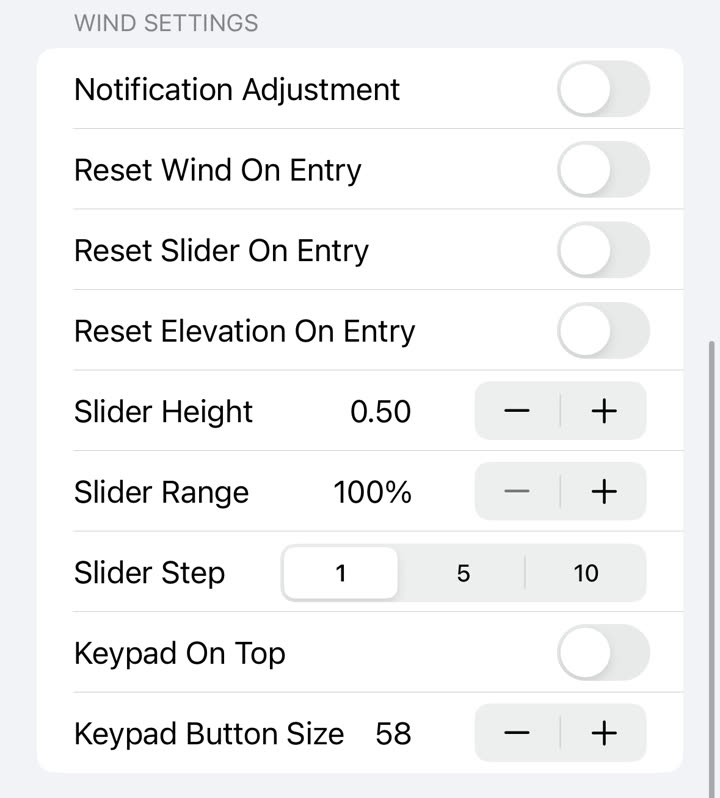
- Reset wind on entry resets the wind value when Clash Caddie becomes active.
- Reset slider on entry returns the club slider to its default position.
- Reset elevation on entry returns elevation to zero.
- Slider height changes how much vertical space the slider uses.
- Slider range changes the maximum slider value, which is useful for end-bringer style shots.
- Slider step makes the slider move in fixed increments.
Keypad settings
- Choose the order and behaviour of clear buttons.
- Adjust the keypad button size.
- Place the keypad above the club adjustments when that layout is easier to reach.
Adjustment appearance
- Set the number of ring decimal places.
- Change adjustment font size and emphasis.
- Use slim adjustments for a more compact min, slider and max presentation.
- Show or hide the mid adjustment when the selected style supports it.
- Configure text and adjustment background colours.
CPC detection
Use CPC detection settings to control the recognition behaviour. If results become unreliable, check the screenshot guidance in CPC mode.