CPC mode
CPC mode reads the clubs and levels from your most recent Checkpoint Challenge club-screen screenshot. Detection happens on the device.
Detect the CPC bag
- Switch the bag type
On the Wind screen, open the action menu and change Bag type to CPC.
- Return to Golf Clash
Open the Checkpoint Challenge club screen so all supplied clubs and levels are visible.
- Take a screenshot
Capture the complete club screen, then return to Clash Caddie.
- Review detection
Wait for detection to finish and check the summary, especially the driver and wood if you are taking the first shot.
- Correct mistakes
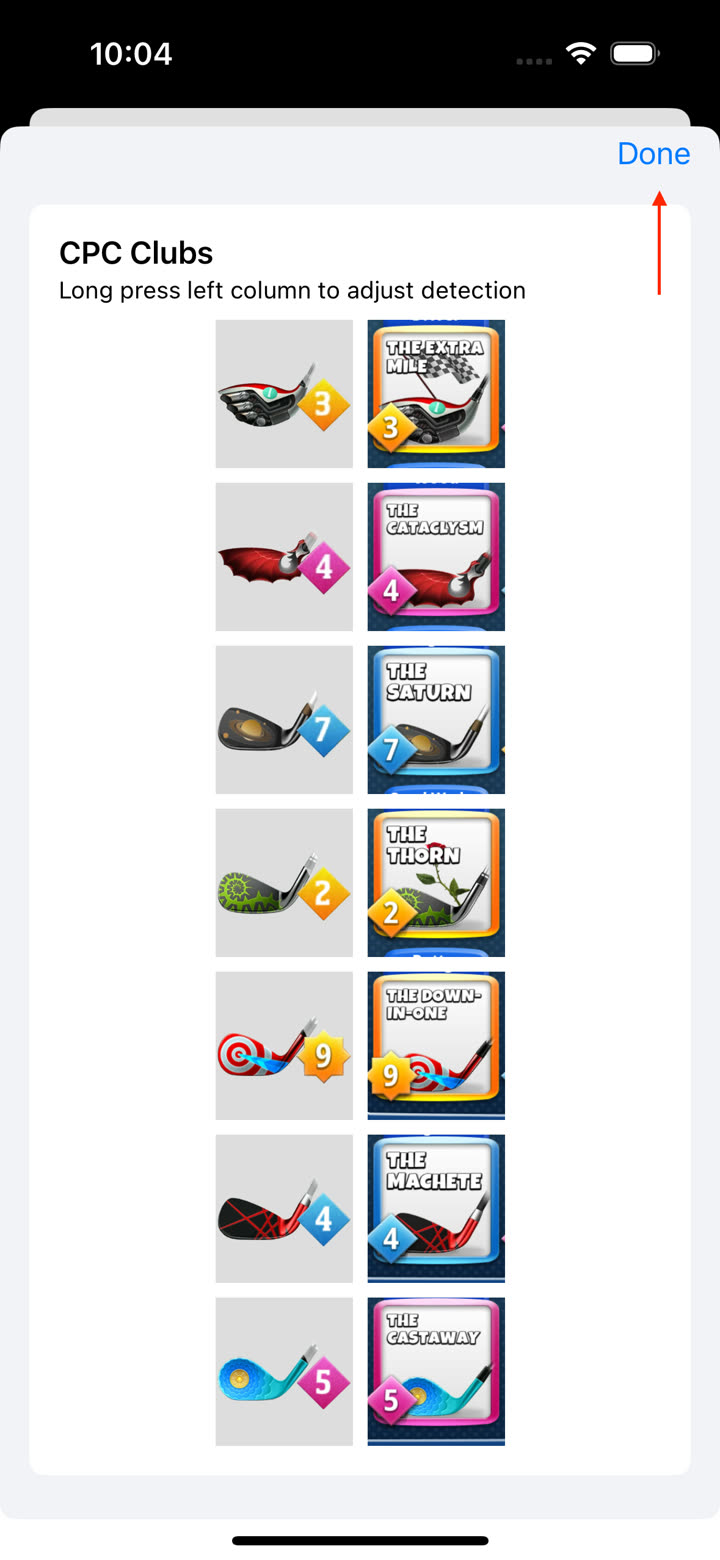
Long-press a club tile to change the detected club or level.
- Load the bag
Tap Done when all clubs are correct.
Modify or rescan
- Tap the bag button in the upper-left of the Wind screen to review the current CPC clubs.
- Long-press a club tile to modify its club or level.
- Tap the trash button to clear the CPC selection and enable screenshot detection again.
Photos permission
If Clash Caddie cannot access the screenshot, open iOS Settings → Clash Caddie → Photos and allow access. Return to Clash Caddie and repeat the scan.